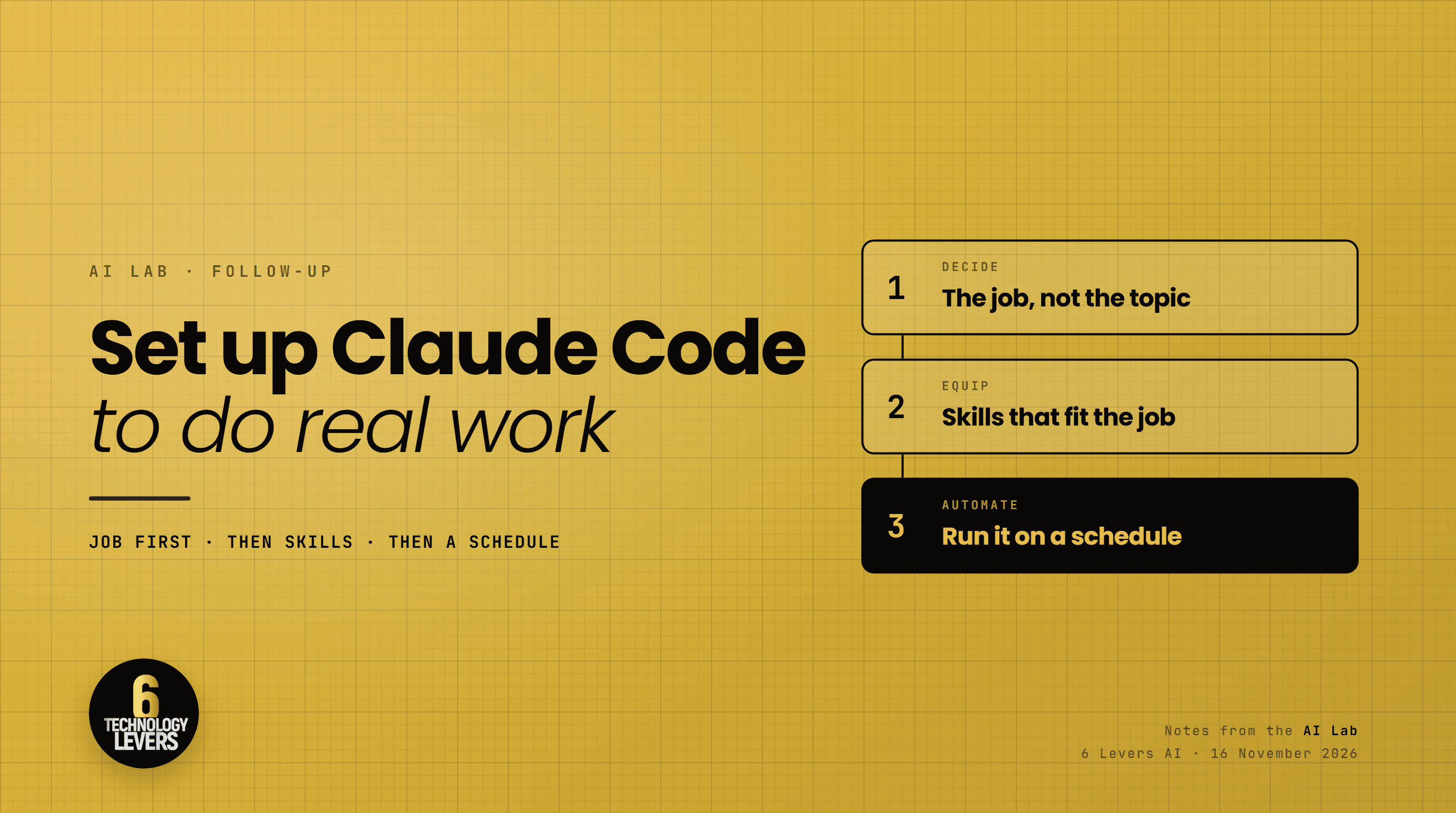
At the AI Lab on Friday, the people who got the most out of the morning were not the most technical people in the room. They were the ones who walked in knowing exactly what they wanted done.
That is the whole secret to Claude Code, and it is why so many people who try it give up after a week. They open it, ask it something general, get something general back, and decide it is a toy. It is not a toy. It is a very capable worker that needs a job description.
Here is how I set it up, in the order that matters.
Step one: decide the job before you open it
Claude Code works best with a task, not a topic. “Help me with my marketing” is a topic. “Every Monday, turn my sermon notes into three social posts and a newsletter draft” is a task. The second one has an input, an output, and a finish line, and that is what makes it possible to hand over.
Before you install anything, write down one or two jobs on paper. Good first jobs have three things in common:
- You do them often. Weekly or more. A job you do twice a year is not worth automating yet.
- You already know what good looks like. If you cannot judge the output, you cannot trust it.
- The inputs live somewhere Claude can reach. A folder of notes, a transcript, a spreadsheet, an inbox.
Jobs that work well for leaders include turning a meeting transcript into decisions and action items, drafting the weekly update to a board or team from scattered notes, preparing a teaching outline and slides from a passage and your research, and sorting incoming enquiries into the ones that need you and the ones that do not.
Pick one. Do it by hand with Claude Code a few times, correcting it as you go, until the result is something you would actually send.
Step two: find skills that fit the job
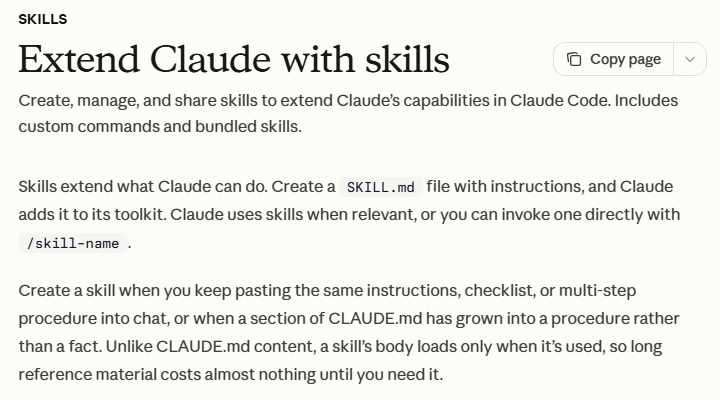
A skill is a set of written instructions that teaches Claude Code how to do one kind of work well. In practice it is a folder with a file called SKILL.md in it. Claude reads the skill when the work calls for it, or you can call one by name by typing a slash and the skill name, such as /humanizer.
Two details from Anthropic's documentation are worth knowing. Skills saved in your home folder, under ~/.claude/skills, are available in every project on your machine. And a skill only loads in full when it is used, so a long skill costs you almost nothing until you need it.
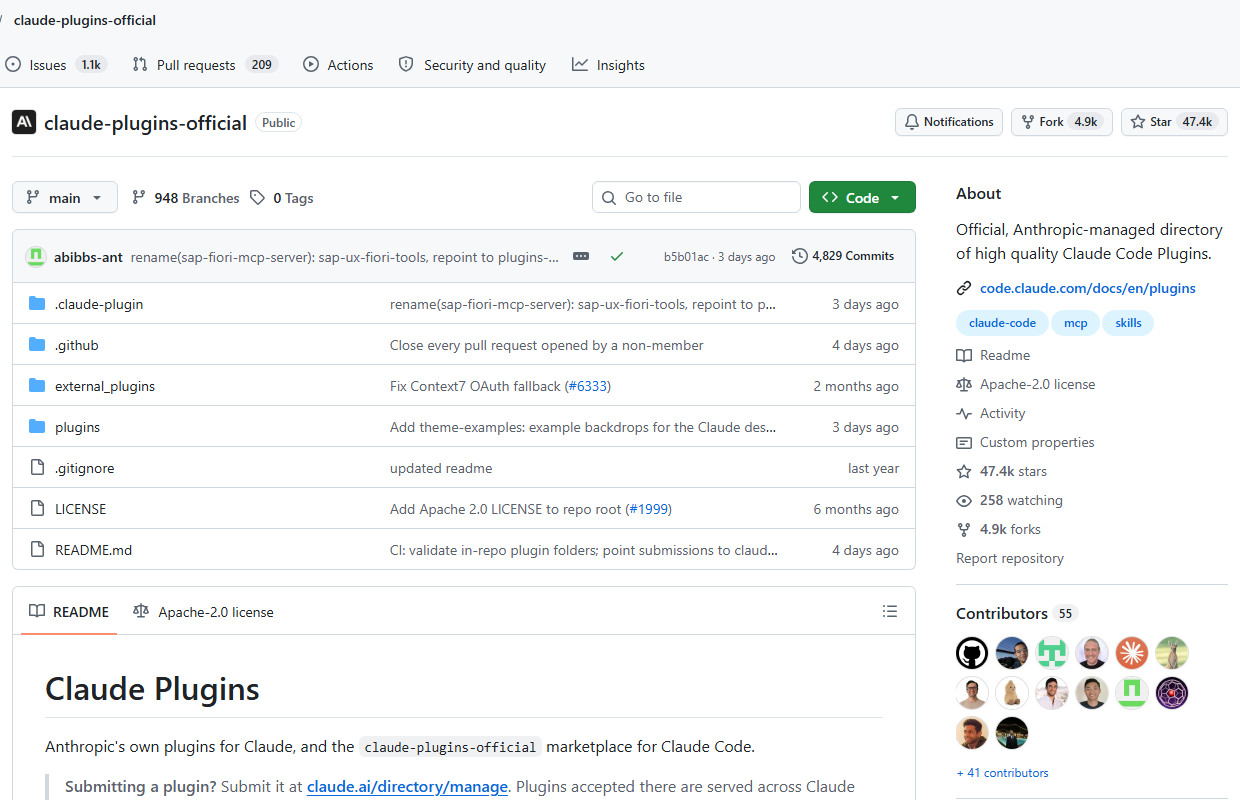
Where do you find them? Start with Anthropic's official plugin marketplace. Plugins are bundles that add skills and other tools to Claude Code, and the install steps are short. Beyond that, plenty of good skills are shared openly on GitHub by people who use them every day.
This is where step one pays off. You are not shopping for skills, you are hiring for a job. If the job is writing, look for writing and editing skills. If it is video, look for video skills. Add the two or three that fit and leave the rest. Every skill you install describes itself to Claude in every session, and a folder full of skills you never use just adds noise.
One more thing. The best skill is often one you write yourself. Once you have done a job by hand a few times and corrected Claude along the way, ask it to turn what it learned into a skill. Now your way of doing that job is written down, and it does not depend on you remembering to explain it.
Step three: put it on a schedule
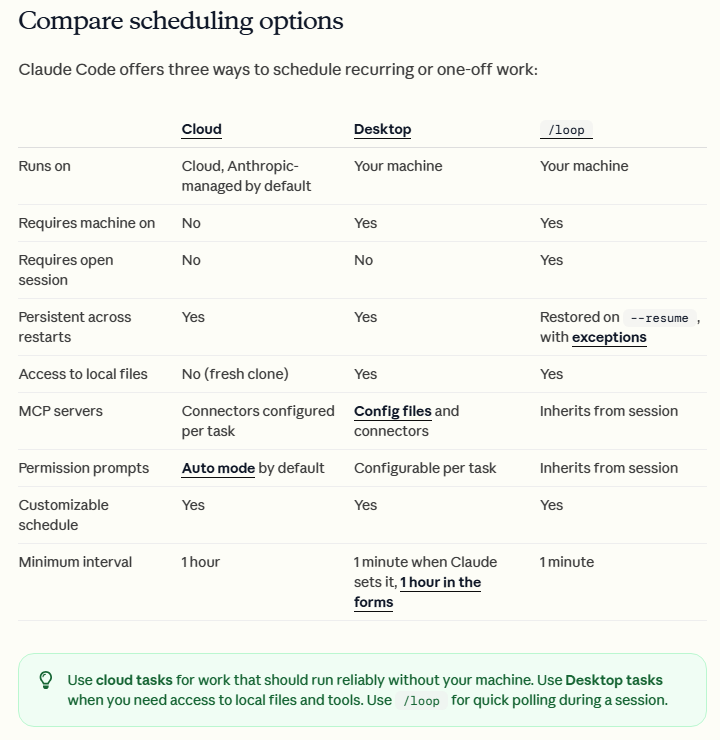
A job that works when you ask for it is useful. A job that runs without you asking is where the time comes back. Claude Code gives you three ways to schedule work, and the choice comes down to one question: does the job need files on your computer?
- Cloud scheduled tasksrun on Anthropic's servers, so they keep going when your laptop is closed. You set them up at claude.ai/code/routines or by typing
/schedule. They run at most once an hour, and they cannot see your local files. - Desktop scheduled tasks run on your own machine from the Claude desktop app, with access to your files and tools. Your computer has to be on and the app open.
/looprepeats a prompt while a session is open. It is good for checking on something during the day, not for a weekly job.
My advice is to schedule nothing until the job has worked well by hand at least three times. Then schedule it, and read the first few results closely before you start trusting them. Automation does not fix a job that was not working. It just does the wrong thing on time.
Or we build it with you
Everything above you can do yourself, and many of the people in the room on Friday will. If you would rather have it built for you, set up around the work you actually do and handed over ready to run, that is what we do at 6 Levers AI.
Book a discovery call and we will talk through the job you want off your plate.